My Documents Live Only on My Phone Now

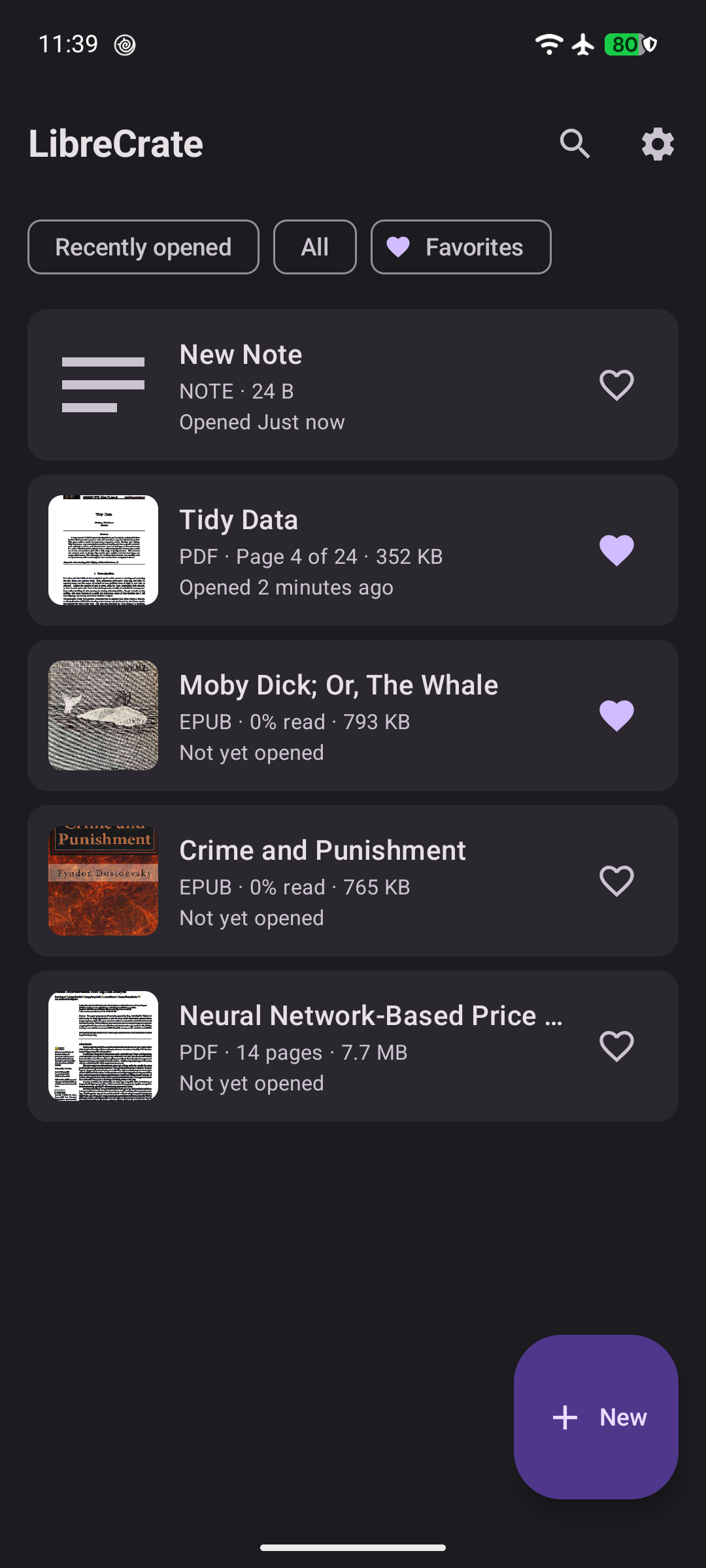
I opened the F-Droid app the other day, typed “LibreCrate”, and my own app popped up with that green badge. It’s available to install for anyone. That feeling — the one where you’ve built something for yourself and the world can just… get it — never gets old.
Let me back up a bit and tell you what this app even is.
The mess that started it
A few months ago my phone and my laptop were both a disaster zone. Boarding passes in one app, PDFs in a downloads folder, receipts scattered around, and the occasional personal note living in whatever notes app I happened to have open.
The stuff I actually cared about — medical records, a passport scan, some private notes — was sitting in folders that any app or person with the phone could read. It wasn’t a drama, it was just… uncomfortable. The same way you’d feel about a locked drawer that isn’t actually locked.
A locked drawer you can also search
So I built LibreCrate. Think of it as a proper locked drawer that happens to be great at storing paper.
- Everything is locked. All your documents are encrypted on your phone, protected by a password you choose. No password, no reading.
- It genuinely cannot phone home. There’s no internet permission at all. Not “we promise not to look” — the app is technically incapable of sending anything anywhere.
- It reads a lot of formats: PDFs, EPUBs, Apple Wallet passes, comics, images, and plain notes.
- You can search the text inside your documents. I can’t tell you how good this feels. I half-remember a phrase from some PDF from months ago, type it in — and there it is, highlighted, context and all. It’s like owning a tiny personal search engine.
- Backups that make sense. Everything you have saves into one encrypted file. Restore it on a laptop, a tablet, a new phone — your library comes back. And if I already have stuff locally, importing a backup adds to it instead of wiping my library. My password stays mine.
The part that makes me grin
It’s the little moments. Searching my own documents without a cloud being involved. Knowing my boarding pass isn’t sitting in some app’s data folder. Having my passwords, my files, my notes — all on a device I own, protected by something only I know.
Is it the most glamorous app on F-Droid? Probably not. But it does one thing well: my documents live only where I put them.
The F-Droid milestone
LibreCrate is built to be F-Droid-only — no Play Services, no Firebase, no tracking libraries. The F-Droid team builds every app from source themselves, which is exactly the level of trust I want for an app that holds my documents. It took some doing to get the build to ride through their farm reproducibly, and the newest release even keeps it working nicely on the latest Android phones.
And now she’s live:

Free and open source under AGPL-3.0. If you’ve ever wished your documents just lived on your device — readable, searchable, and locked — give it a go. It’s the app I wish I’d had years ago.